Precise Positioning
Today we are going to “flex our newfound positioning muscle”.
Endangered Species Map Infographic
You will be creating a map displaying overlaid images of hand-picked endangered species along with their details.
- Choose at least 10 species total. Try to include every continent. This site should prove helpful.
- On a new webpage, set up a div with a class of “map” and place a blank world map image into it. I recommend using this world map example, but you’re welcome to find another.
- You will also need a fixed masthead or overlayed header so users know what they’re looking at.
- Using Google, search for images of the endangered species you’ve chosen. I recommend using .JPEG files for performance, but for higher resolution photos you’ll want to use .PNG. As far as aesthetics goes, one approach would be to take an image and add a border and some box-shadow for a cleaner look. Needless to say, resizing may be necessary. But tread carefully! It is worth noting that using CSS to resize large photos often take longer to download than necessary. One quick workaround would be to download and resize photos using an image editing tool like Pic Monkey, then adding the image into your project folder.
- Place each image into a div and position it on the map according to the region of the world they are found in. Remember, they must not move out of place if the window is resized. Troubleshooting may be required. ;)
- When you’re finished, add labels to each species. Include their common name (e.g. “Siberian Tiger”) as well as their scientific name (e.g. Panthera tigris altaica). You can optionally include some statistics.
- Style up the details! Make it look pretty :)
Top 5 World Destinations
- Start by making a list of you and your partner’s top 5 destinations in the world you’d each wish to visit. In other words, two separate top 5 lists. It’s fine if some choices are the same.
- On a new webpage, set up a div with a class of “map” and place a blank world map image into it. I recommend using this world map example, but you’re welcome to find another.
Create a simple key that designates a color code for each of you. Include a third color that represents cities you and your partner both wish to visit, if any. If none exist, exclude it. Lay the key over the map somewhere so that it stays put no matter where users scroll. Have it look something like this (using the same colors, for now):
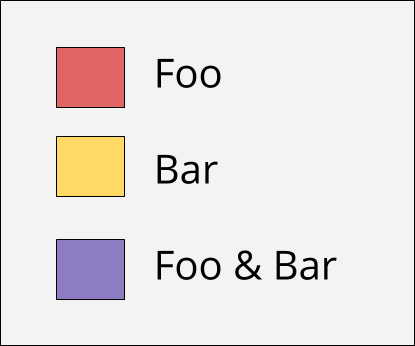
Using the positioning skills you’ve learned from yesterday’s homework, place markers on the map for each of your respective dream destinations. They must stay in position even if the window is resized. I’ve provided stock marker images for you to use if you wish (you’re welcome to customize your own using icons you find online), but you’ll still need to place text over them yourself. Here are the links (Right-click + Copy Link Address), followed by examples:
- red
- purple
- yellow

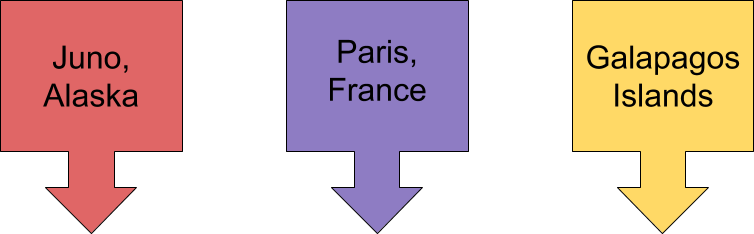
When you’re finished precisely positioning all your markers, go ahead and style the rest of the webpage. Add a fixed masthead or overlay a heading so as to let people know what the map is for.